
Views
Switch between a daily journal, task lists, due horizons, completed history, and colored progress grids.
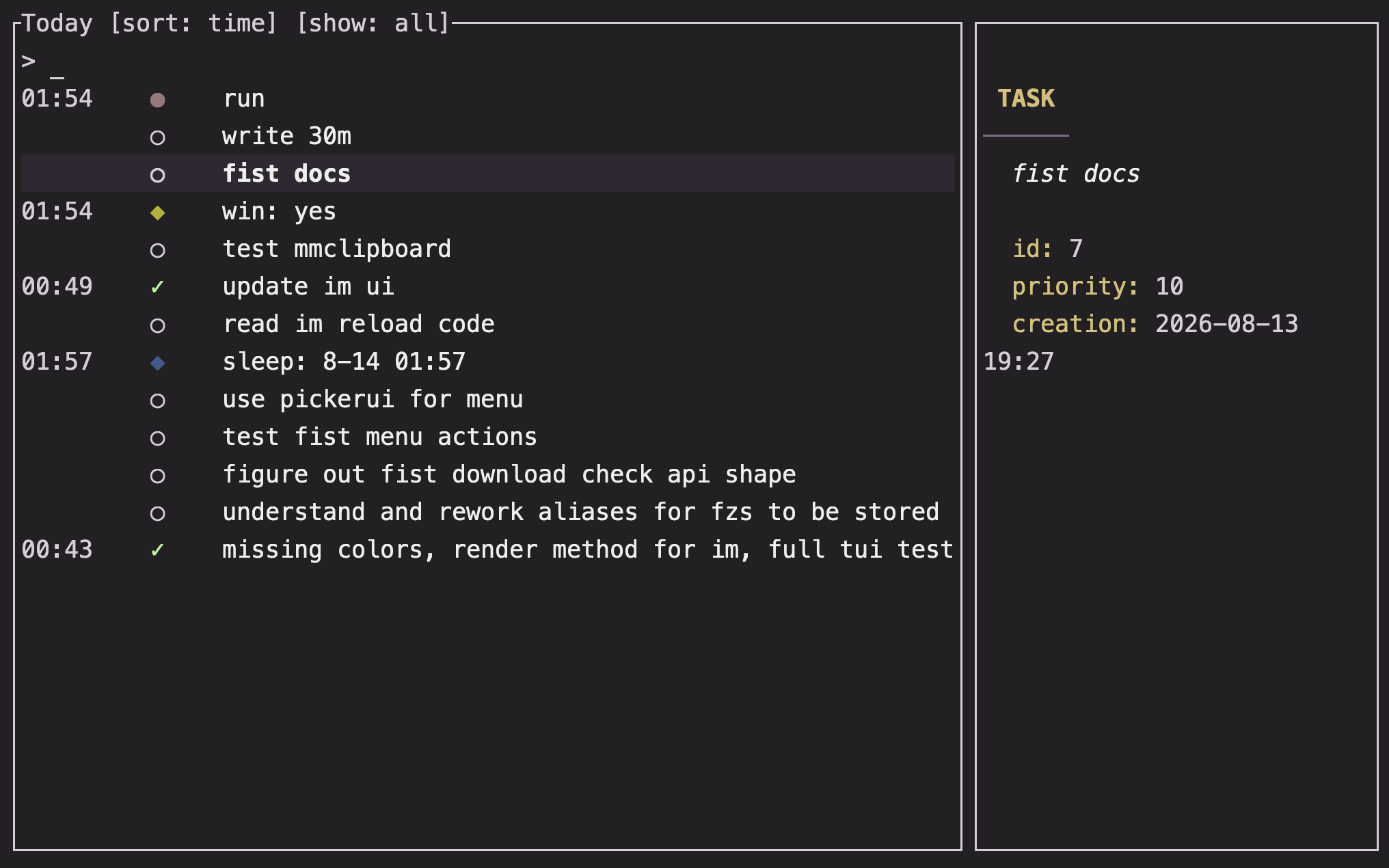
Overview
Im uses short prefixes to select views: no prefix opens today, @ opens task views, and : opens tracker grids.
Basics
Today view
im
im @2026-08-14
The bare command shows the current day. A date expression after @ anchors the view to that day; the expression is aligned to the start of its day.
Today rows can include moods, journal entries, trackers, oneshot tasks, recurring windows, scheduled tasks, and tasks completed during the day. The view sorts entries by time by default.
Due horizons
im @due
im @due:t
im @due:w
These are task-only today views for today, tomorrow, and the next seven days. The suffixes are :t for tomorrow and :w for the week.
Pending and completed tasks
| Command | Shows |
|---|---|
im @ | Pending tasks of every type |
im @:o | Pending oneshot tasks |
im @:O | Pending recurring and scheduled tasks |
im @done | Completed tasks of every type |
im @done:o | Completed oneshot tasks |
im @done:O | Recurring history and completed scheduled tasks |
The task list sorts pending rows by due time and completed rows by most recent completion. The interactive view can switch to priority sorting.
Tracker grids
im :
im :week rating
im :month rating @stretch
im :year
The default period is the week. A grid can contain a mood marker, configured trackers, and recurring task names prefixed with @. Dots use the configured palettes and show the value or completion pattern for each interval.
Plain output
When stdout is not a terminal, Im prints rows suitable for shell pipelines.
- Today rows are tab-separated time, marker, label, and detail fields.
- Task rows are tab-separated ID, interval, next availability, priority, name, and status fields.
- Grid output is a dot sequence for each requested item.
im @due | less
im :month water | awk -F '\t' '{ print $1 }'
An empty today view prints Nothing logged today.. An empty task view identifies the view that had no results.
Note: The same records feed the interactive and plain views, so filtering and task state are consistent between a terminal window and a pipeline.
FAQ
Why is a task missing from today?
The today view applies its configured oneshot filter and horizon. Use im @ for all pending tasks, im @due:w for a wider due horizon, or change today_view.initial_tasks_filter in Configuration.
What does im @:O mean?
The uppercase O selects the view variant for recurring and scheduled tasks. It is different from lowercase o, which selects oneshots.
Can I inspect a previous day without changing the current day?
Yes. Use im @<date>, for example im @yesterday or im @2026-08-14.