
Trackers
Track numbers, text, durations, timestamps, and repeat counts alongside your moods and tasks.
Overview
A tracker is a named metric declared in configuration and logged with a -<name> argument. Tracker definitions specify whether a value is an integer, decimal float, duration, text string, or valueless marker.
Basics
Define a tracker
Add a [tracker.<name>] section to the file opened by im :config:
[tracker.water]
kind = "float"
low = 0
high = 10
interval = { anchor = "2026-01-01T00:00:00Z", span = "1 day" }
The interval anchor includes an explicit time-zone offset. Bounds set the score range for color gradients in grids and today rows; enabling strict = true gates logged values within the configured range.
Choose a tracker kind
| Kind | Log syntax | Accepted value | Use it for |
|---|---|---|---|
integer | -pushups 25 | Plain whole number | Whole-number counts and reps |
float | -rating 7.5 | Plain number (integer or decimal) | Decimal measurements and scores |
duration | -mile 6m30s | Duration string (e.g. 45s, 6m 30s, 1h) | Timed activities and durations |
text | -win "fixed the flaky test" | String | Notes and labels |
null | -sleep | None (valueless) | Timestamp markers or slot counts |
Value forms are checked per kind: integer requires whole numbers, float accepts decimal values, duration parses duration strings and stores total seconds, text stores strings verbatim, and null trackers accept no arguments.
Log a tracker
Log a tracker by itself:
im -water 2.5
im -pushups 25
im -mile 6m30s
im -win "fixed the flaky test"
im -sleep
Combine trackers with a mood:
im focused -water 2.5 -pushups 25The today preview displays trackers attached to a mood under linked:. A numeric tracker can also be attached to an existing mood from the today view using ctrl-l.
Use intervals
An interval groups entries into calendar slots starting from its anchor timestamp:
[tracker.pushups]
kind = "integer"
low = 0
high = 50
interval = { anchor = "2026-01-01T00:00:00Z", span = "1 day", cumulative = true }- Replace mode (
cumulative = false, default): Each calendar slot keeps the latest entry. Logging again in the same slot replaces the previous entry. - Cumulative mode (
cumulative = true): Every log in the slot is preserved. Grid dots show the sum of all values in the slot for numeric and duration kinds, count total entries fornull, and list all entries fortext.
Configure bounds and strict validation
low and high configure the range used for color binning and validation:
| Kind / Mode | low and high format | Meaning |
|---|---|---|
integer | Whole number (e.g. 0, 50) | Value range for coloring and strict gate |
float | Number (e.g. 0.0, 10.0) | Value range for coloring and strict gate |
duration | Duration string (e.g. "5m", "10m") | Time range for coloring and strict gate |
text | Whole number (e.g. 1, 140) | Character count limit for strict gate |
null (replace) | Duration offset (e.g. "22h", "6h") | Slot time window for coloring and strict gate |
null (cumulative) | Whole number (e.g. 1, 5) | Entry count threshold for coloring |
Setting strict = true validates logs and updates:
- Numeric and duration trackers require the logged value to fall within the inclusive span between
lowandhigh. - Text trackers require the character count to fall within the
lowandhighlimits. - Replace-mode
nulltrackers require the entry time to fall within the circular time window betweenlowandhigh(offsets relative to the slot start).
[tracker.rating]
kind = "integer"
low = 1
high = 5
strict = true

[tracker.sleep]
kind = "null"
low = "22h"
high = "6h"
strict = true
interval = { anchor = "2026-01-01T00:00:00Z", span = "1 day" }
View tracker history
im :
im :week rating
im :month rating pushups
im :year @stretch
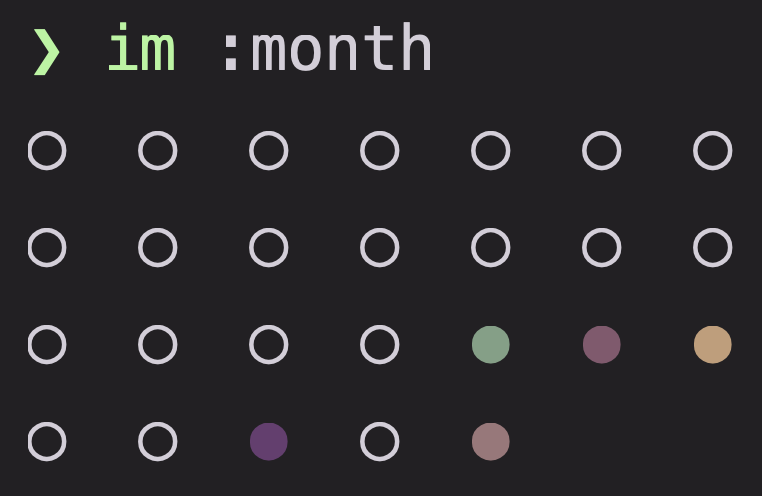
A bare : shows the mood grid. Add tracker names to display their score dots. Prefix a recurring task name with @ to show its completion dots.
Grid ranges can be calendar-based or rolling; configure them in [grid]. See Configuration.
ProTip: Assign
low,high, and customcolorsto a tracker to make dot colors communicate progress at a glance.
FAQ
Why did Im reject my tracker value?
Tracker kinds validate input format and bounds:
integerrequires whole numbers (e.g.25).floatrequires numbers (e.g.7.5).durationrequires duration strings (e.g.6m 30s).textrequires text.nulltrackers take no argument and require an interval definition.- Trackers with
strict = truerequire values within their configuredlowandhighrange.
Can I change a tracker definition later?
Yes. When updating a tracker's kind, older stored entries can be reviewed and aligned by running im :db doctor.
Why did my latest tracker value replace the previous one?
Interval trackers default to replace mode (cumulative = false), keeping the latest entry for each slot. Set cumulative = true on the interval to accumulate entries across the slot instead.