
Tasks
Use tasks for one-time actions, repeating habits, and events that are available during a specific time window.
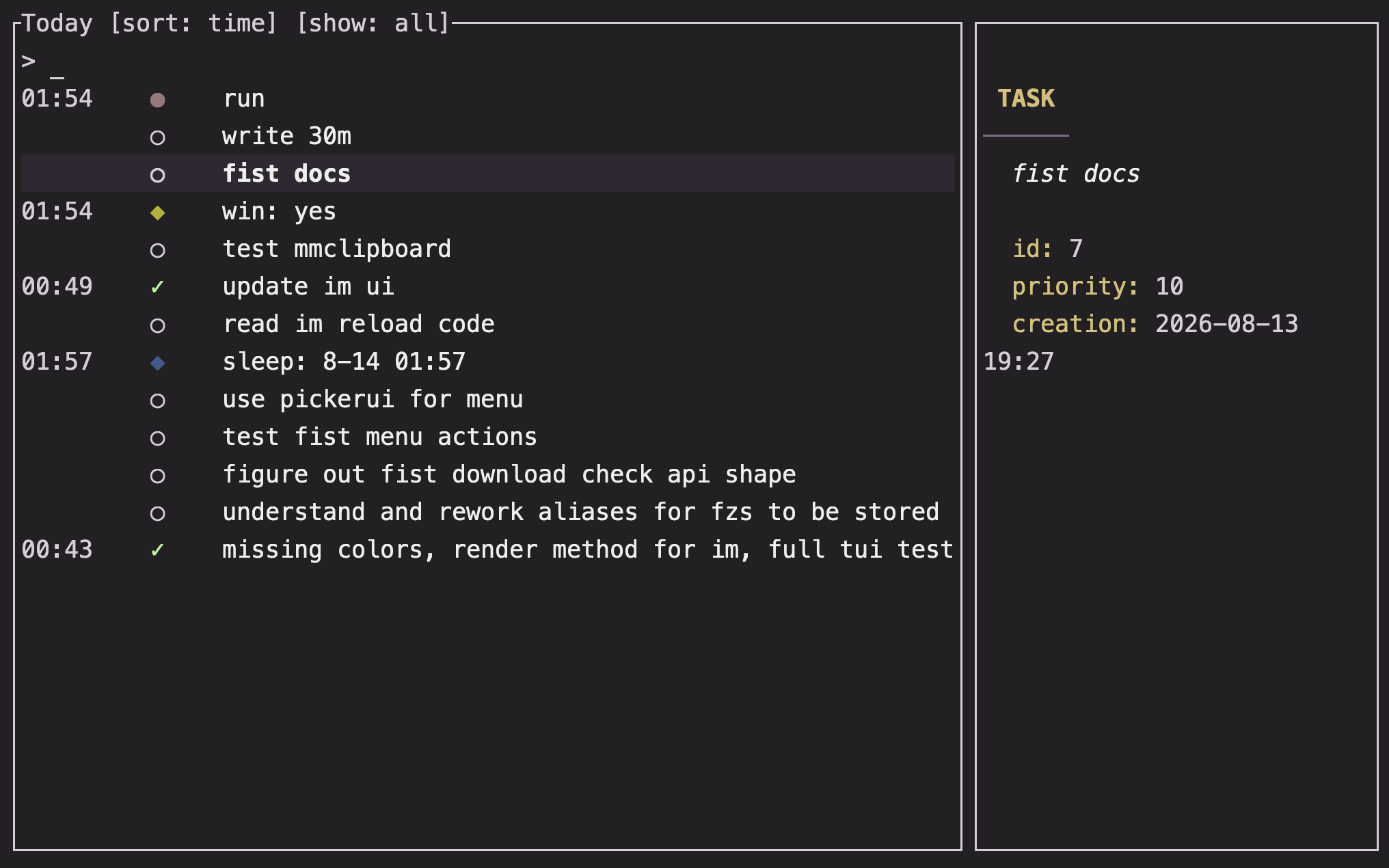
Overview
Im has three task types: oneshot tasks happen once, recurring tasks reopen on an interval, and scheduled tasks become available at a particular time for a fixed duration.
Basics
Create a oneshot task
Create a task interactively:
im !The prompts collect a name, priority, completion target, optional parent, and body. For a direct creation, provide the name:
im ! Send the invoice
im ! Review the draft @tomorrow 9am
im ! Send the invoice . include the receipt
A task gets a short ID when it is created. Use that ID to update it or attach a mood entry to it.
Create a recurring task
Start the recurring-task prompts with a bare @ after !:
im ! @
im ! @ stretch
The prompts cover the name, priority, start time, interval, available duration, completion target, end time, optional status, and body. An empty end time keeps the task recurring.
Intervals accept calendar expressions such as 1 day, 1 week, or 1 month. An available duration limits how long each occurrence is considered available; leave it blank when the task is available for the whole interval.
Create a scheduled task
A scheduled task begins with a time, then uses : for its name and % for its available duration:
im ! @tomorrow 9am :team meeting %1h
im ! @friday 18:00 :call the venue %30m
If any field is missing, Im opens the remaining prompts. Scheduled tasks have one completion state: completed, failed, or automatically completed when their window passes without an update.
Complete a task
Update by short ID:
im - 12
im - 12 3
im - 12 -1
The first form adds one completion. A number changes the completion count by that amount; negative values reduce recent progress without taking the total below zero.
You can also update the unique oneshot task whose name contains words in order:
im - invoice
im - review draft
In the interactive task view, press enter on a task. Tasks with a completion target open a count prompt; an empty count means one.
Organize subtasks
Attach a new oneshot task to a parent with the parent's short ID as the first argument after !:
im ! -12 Collect receiptsUse im ! - to choose the parent interactively. Children appear in the selected task's preview.
Review tasks
im @opens pending tasks.im @doneopens completed task history.im @:olimits the pending view to oneshots.im @:Oshows recurring and scheduled tasks.im @done:oshows completed oneshots.im @done:Oshows recurring history and completed scheduled tasks.
The lowercase o and uppercase O are intentional. See Views for the full view map and Terminal interface for controls.
Task states
A oneshot is complete when its target is reached; a zero target means one completion is enough. Recurring progress belongs to the current interval. Scheduled tasks are tied to their availability window.
The task preview shows the fields that matter for the selected type, including the ID, priority, due or start time, interval, duration, completion state, body, parent, and children.
Note: Completing a oneshot removes its short ID from active task lists. Use a name query or the completed view to find it later.
FAQ
How do I skip an optional recurring task?
Mark it optional during recurring-task creation. The task remains part of the recurring history while its preview identifies it as optional.
Why did a recurring task appear again after I completed it?
Recurring completion is interval-based. Completing the current occurrence does not remove the task from its next interval.
What happens if I accept a recurring task after its availability window?
Im asks for confirmation before recording the completion. This protects you from accidentally applying progress to an old occurrence.
Can I edit a task after creating it?
Use ctrl-e in the task view or today view to edit its body. Other creation properties are set through the interactive creation prompts and configuration defaults.