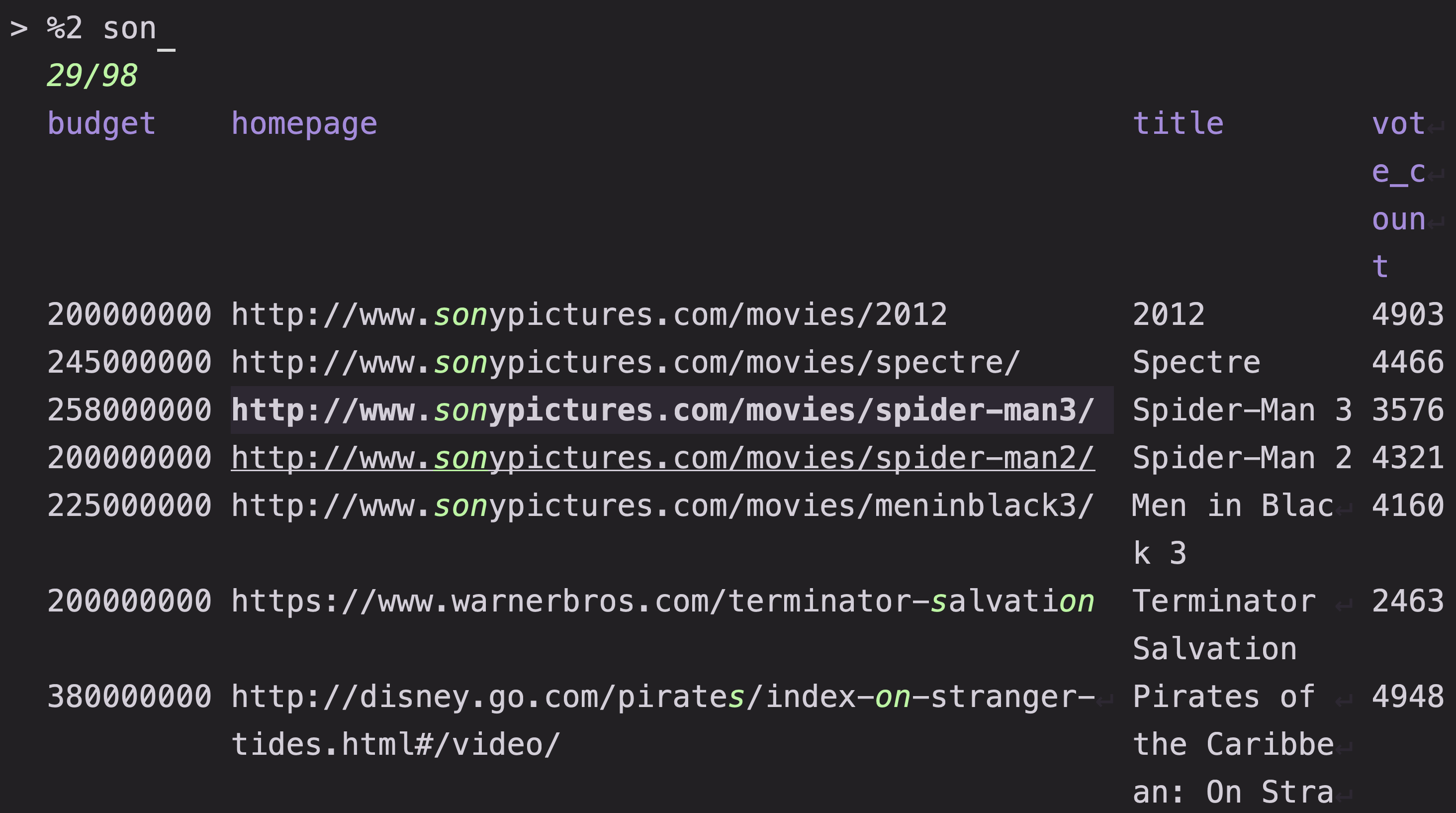
Input and data sources
Matchmaker reads candidate rows either from standard input or from a configured populating command, then segments each record into searchable columns and optional header lines as the stream arrives.
Feeding rows
How mm acquires input depends on whether standard input is connected to a terminal:
- Piped standard input: When
stdinis a pipe or redirected file,mmreads records directly fromstdinand ignoresstart.command. - Populating command (
start.command): Whenstdinis a terminal,mmspawnsstart.command(CLI aliasxorcmd). This defaults tofd --strip-cwd-prefix --print0(falling back tofind . -print0) with a NUL record separator. - Forcing the command (
--no-read): Passing--no-readignores a pipedstdinand runsstart.commandanyway, which is useful when invokingmminside a script or subshell whose standard input is already redirected. - Synchronous startup (
start.sync): By default, rows stream in asynchronously while the interface is interactive. Settingstart.sync = true(s.sync=true) waits for the input stream to finish before opening the picker.
start.command accepts a shell script, a preset script file (@file or @./file), or a Lua script (#!lua or @file.lua) that pushes rows through inject(line); see Execute for command strategies and Options for all [start] settings.
# Pipe rows from stdin
git branch --all | mm

# Override the populating command on the CLI
mm x "rg --files"

# Run start.command even when stdin is not a terminal
mm --no-read -o git < /dev/null
Passing arguments after --
Arguments placed after -- on the command line are forwarded directly to start.command (and to subsequent reloads) as positional arguments:
mm -o rg -- --hidden -g "*.rs"When reading from a pipe without --no-read, trailing arguments after -- are ignored with a warning. Inside preview commands, bound actions, and output templates, you can also expand trailing arguments with {$1}, {$2}, or {$0} for the full argument list; see Template.
Record separators and context windows
By default, mm splits incoming streams on newline characters (\n). Set start.input_separator (CLI alias n) to split on another byte such as NUL (mm n '\0'), or set separator inside the [start.command] table so the custom separator applies only to the populating command and not to piped stdin:
[start.command]
command = "fd --strip-cwd-prefix --print0"
separator = "\\0"
Passing -C <N> rolls 2N + 1 consecutive input records into each item as a sliding window joined with newlines. Once the first 2N + 1 lines fill the window, each subsequent line emits a new multi-line item and drops the oldest line; streams shorter than 2N + 1 lines flush as a single item when the stream ends.
# Group each line with 1 line of surrounding context above and below (3 lines per row)
rg --line-number "TODO" | mm -C 1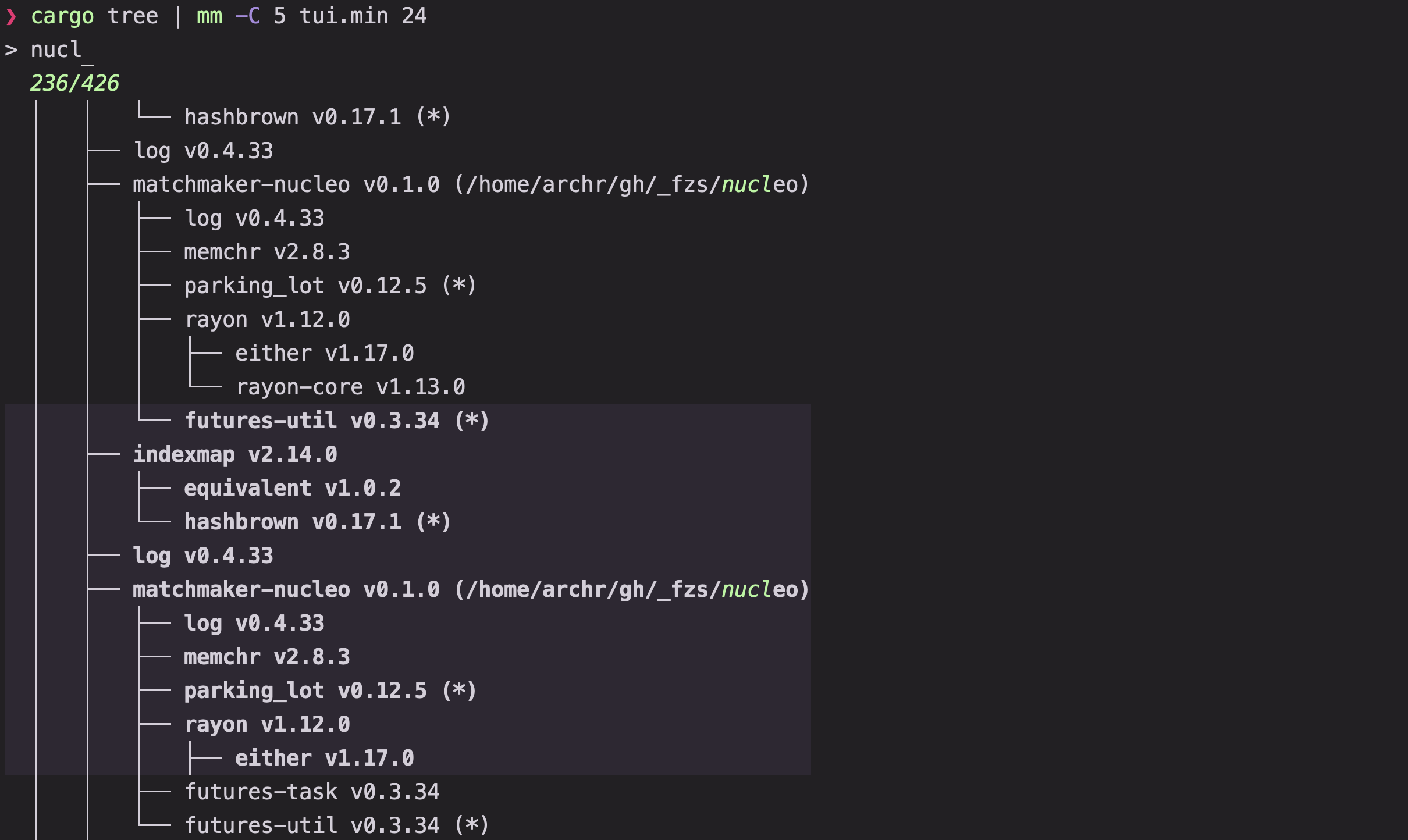
Reloading and cycling sources
You can repopulate the picker in place without exiting the TUI:
| Action / setting | Role |
|---|---|
Reload | Reruns the active populating command (default ctrl-r via @reload) |
Reload(cmd) | Replaces the active populating command with cmd and reloads immediately |
start.additional_commands | List of commands (s.ax) available to ReloadNext and ReloadPrev |
ReloadNext / ReloadNext(n) | Steps forward through additional_commands, or jumps to 0-based command index n |
ReloadPrev | Steps backward through additional_commands |
results.delay_clear | Keeps previous rows on screen until the reloaded command produces output (default true) |
When start.additional_commands is non-empty, mm seeds @next (["ReloadNext", "ClearQuery"]) and @prev (["ReloadPrev", "ClearQuery"]), bound to alt-] / ctrl-shift-n and alt-[ / ctrl-shift-p. If the first element of additional_commands is an empty string (""), mm replaces it with start.command so the initial command is included in the rotation:
[start]
command = "ps -eo pgid,pid,user,%cpu,vsz,rss,etime,stat,command"
additional_commands = [
    "",
    "lsof -nP -i",
]
Each reload clears active multi-selections, kills the previous populating process (unless start.save_orphans = true), emits the Reloaded lifecycle event, and exports MM_INDEX with the 0-based index of the active command in additional_commands. Setting _MM_INDEX in the environment before launching mm selects which entry in additional_commands runs first.
Splitting rows into columns
Before rows are indexed by the matcher, columns.split (CLI alias d) divides each line into columns. When matcher.ansi = true (CLI alias a), ANSI escape codes are stripped before splitting so color sequences never shift column boundaries, while the rendered table preserves the original styling.
columns.split value | Segmentation behavior |
|---|---|
null (default) | Single column spanning the entire row |
"<regex>" (no capture groups) | Delimiter split between matches up to columns.max, merging any remainder into the final column |
"<regex>" (unnamed capture groups) | Capture-group extraction mapping each (group) to a column in order |
"<regex>" (named capture groups) | Named extraction mapping each (?P<name>...) group to the matching entry in columns.names |
["<re1>", "<re2>"] | Sequential regex list matching each pattern from the end of the previous match |
"csv" / "tsv" | RFC 4180 comma- or tab-separated fields with unquoted ranges and "" quote escaping |
When columns.names (c.n) is omitted, mm generates up to columns.max columns (default 6, clamped to 1–16) named 1, 2, and so on. Providing columns.names assigns explicit alphanumeric names and per-column flags (hidden, ignore, options). columns.default (c.i) selects the primary column by name or 1-based index.
To discard malformed or header-only lines during ingestion, set matcher.require_column to a 0-based column index; any row where that column is empty or fails to match the split regex is skipped before indexing. See Queries for searching and navigating columns.
Headers, footers, and prompt context
Header and footer rows frame the results list with column labels, key hints, or active mode indicators:
- Streamed header rows (
header.header_lines, aliash.h): Consumes the firstNrecords from the input stream (and on everyReload) before they enter the matcher, splits them with the activecolumns.splitrules, and pins them above the results aligned to the table's column widths. - Static header and footer content (
header.content/h,footer.content): Accepts a single string (drawn across the full pane width) or an array of strings (drawn as individual column cells aligned with the results table). - Runtime updates: Actions such as
SetHeader,PushHeader,SetFooter,PushFooter,SetPrompt,SetStyledPrompt,SetStatus, andSetStyledStatusupdate UI chrome dynamically from keybindings orReloaded/QueryChangeevent hooks; status and prompt styling syntax is covered in Template.
# Split on runs of spaces, pin the first input line as the table header, and focus column 9
ls -l | mm d " +" c.max=9 c.i=9 h.h=1